Register a Resource
Registering a resource means preparing enough material for a Registrar and Root to decide whether the resource can enter OAN’s trusted publication path. A good registration is clear about what the resource is, who controls it, how it is used, what domains it belongs to, and what package or endpoint evidence should be checked later.
You can register through the official website, SDK, or community skill. The user experience may differ, but the underlying fields are the same.
For a first registration, choose a resource you can describe clearly and verify easily. A small Skill, a public MCP Server, or a simple API descriptor is better than a vague all-purpose agent. OAN rewards precise resource boundaries because Discovery and verification both depend on knowing what is being published.
Before You Start
Prepare these items before submitting:
| Item | Why it matters |
|---|---|
| Resource type | OAN needs to know whether this is an Agent Service, Skill, MCP Server, or Tool/API. |
| Name and description | Discovery and users need a clear explanation of what the resource does. |
did:oan identity |
The resource needs a stable subject and DID Document. |
| Endpoint, manifest, schema, or artifact link | Consumers need to know what to verify and how to continue after Discovery. |
authorizedDomains |
Registrar and Discovery enforce domain scope. |
capabilityTags |
Discovery uses tags as matching signals. |
| Version and package facts | Root proof and future updates need versioned package evidence. |
For a quick demo, a website may help generate temporary identity material. For real publication, the resource owner or organization should control the private keys. Do not design a production flow that uploads private keys to the website backend.
If the resource already has a public package, repository, endpoint, or manifest, prepare stable references before starting. Editing a manifest after calculating hashes is a common source of package mismatch errors. Treat the registration package as a versioned snapshot: once submitted, the facts should remain stable until the next version.
Pick the Correct Resource Type
The resource type controls what information is expected.
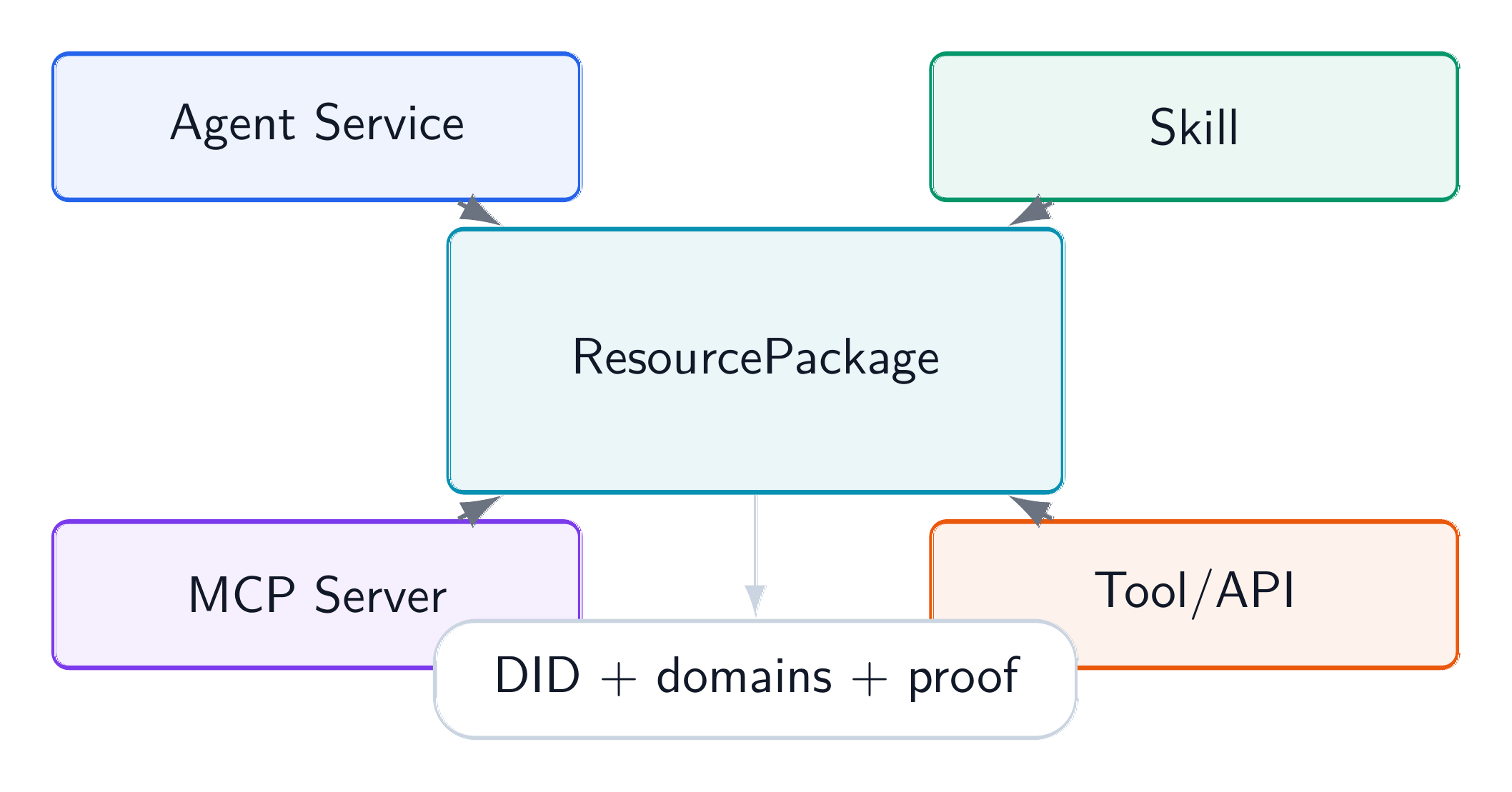
An Agent Service should describe the hosted service, invocation protocol, endpoint, and supported tasks. A Skill should describe the package, manifest, examples, repository, or installation surface. An MCP Server should expose MCP endpoint information and the kind of tools or resources it provides. A Tool/API should describe schema, endpoint, protocol, and authentication expectations.
Choosing the wrong type makes Discovery less useful and can cause validation failures. A Git-hosted skill should not pretend to be an Agent Service only because it eventually helps an agent. A REST endpoint should not be described as an MCP Server unless it actually exposes MCP.
Resource type also affects user expectations. Someone who selects a Skill expects installation or package material. Someone who selects an MCP Server expects an MCP-compatible endpoint and tool list. Someone who selects a Tool/API expects schema and endpoint details. A correct type makes the next step after Discovery less ambiguous.
Fill Domains and Tags Carefully
authorizedDomains and capabilityTags are separate fields. Domains are enforced scope. Tags are matching hints. A resource about sports analytics might use an authorized domain under sports and capability tags such as analytics, performance-analysis, or data-visualization. A technology developer tool might use a technology domain and tags such as code-analysis, api-integration, or workflow-automation.
If you are unsure which domain to choose, prefer a narrow honest domain over a broad marketing claim. If the Registrar recommends domains from your content, review the result before submitting. The final DID Document should carry the domains that are actually used for publication and Discovery filtering.
Use tags for language that helps matching but does not belong in the domain tree. For example, summarization, retrieval, workflow-automation, and security-review are good capability tags. They help users find the resource, but they do not decide whether a Registrar is authorized to publish it.
What the Registrar Does
The Registrar checks structure and scope. It may validate DID syntax, resource type, required fields, package hashes, subject-control evidence, authorized-domain coverage, and request freshness. It may also normalize some fields or suggest tags, depending on the service.
If the Registrar accepts the request, it forwards Root-bound material through the authorized path. That does not always mean your resource is already visible in Discovery. It means the registration flow has moved to the next stage.
A good registration page should therefore show a receipt or status path. The user should know which Registrar received the request, which resource DID was submitted, which domains were declared, and whether the request is waiting for Root, publication, or Discovery indexing.
What Success Means
Registration success should be read as a lifecycle event. You may see different stages:
- submitted to Registrar;
- accepted by Registrar;
- accepted by Root;
- package published;
- indexed by Discovery;
- visible in search;
- active for verified use.
If your resource is accepted by Root but not yet visible in Discovery, wait for publication and indexing or check status endpoints if available. If it never becomes visible, review domain scope, Discovery authorization, lifecycle state, and query filters.
Avoid repeatedly changing unrelated fields while debugging. If the problem is domain mismatch, changing the description will not help. If the problem is package hash mismatch, changing the tags will not help. Identify the failed stage first, then correct the relevant input.
A Small Example
Imagine registering a skill that summarizes technical design documents. A good registration might include resource type skill, a clear description of supported document formats, tags such as summarization, technical-writing, and design-review, a technology-related authorized domain, a skill manifest or repository reference, a version string, and hash material for the package or manifest.
After submission, Root acceptance proves the package facts. Discovery later returns it as a candidate for queries such as “find a skill that summarizes engineering design docs.” The user or SDK still verifies package evidence before installing or using it.
The same pattern works for other resource types. For an MCP Server, the accepted package can bind the server identity, endpoint, capability description, and protocol information. For a Tool/API, it can bind endpoint and schema references. For an Agent Service, it can bind service identity and invocation metadata. OAN does not force them into the same runtime protocol; it gives them a shared trust path.